

S
Developer Docs
Discover how to get the most out of Divhunt for your unique needs, and explore the possibilities of building plugins to make Divhunt a better tool for everyone.
Usage
How to add new preference
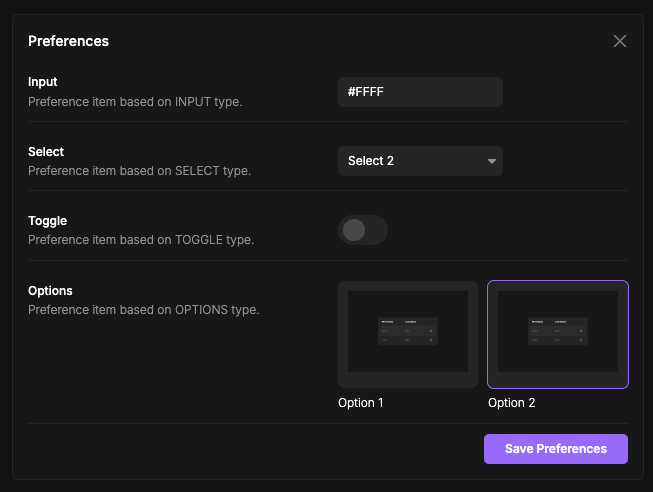
The following example illustrates how to introduce a new preference into the system, ensuring it is both visible and customizable through the preference modal.
preferences.OnReady(() =>
{
    preferences.ItemAdd({
        id: 'select',
        name: 'Select',
        description: 'Preference item based on SELECT type.',
        type: 'SELECT',
        value: 'value 1', // Default value
        values: [
            {title: 'Select 1', value: 'value 1'},
            {title: 'Select 2', value: 'value 2'},
            {title: 'Select 3', value: 'value 3', image: 'https://'} //  For type: OPTIONS
        ],
        onReady: (value) =>
        {
             // Code will execute once the preference system has been fully loaded and is ready
        },
        onChange: (value) =>
        {
             // Code will be triggered when the preference value is changed or when the user initiates the update
        }
    });
});
Types
The Preference system is supporting multiple types. When adding a new preference, it is important to set the appropriate type accordingly.
Conclusion
When developing new features, there are often multiple ways they can function. Allowing users to choose their preferences enhances the feature's ability to be personalized.
Table of content