

S
Developer Docs
Discover how to get the most out of Divhunt for your unique needs, and explore the possibilities of building plugins to make Divhunt a better tool for everyone.
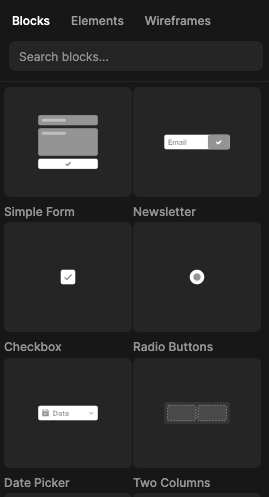
Organization
Before getting started, it's important to understand the organization of predefines. Predefines are categorized into types and groups.
Types
The Predefines system is divided into three main types. When adding a new predefine, it is important to set the appropriate type accordingly.
Groups
Predefines can be further organized within each type by adding a group. A group can be any category, and all predefines with the same group will be automatically sorted and displayed together in the builder.
Usage
Adding new Predefine
The following example demonstrates how to add a new predefine into the system, making it visible and reusable from the predefines sidebar. When working with plugins, such as Sliders, adding new predefines from plugins simplifies the process for end-users, allowing them to drag and drop a slider that works instantly.
predefines.OnReady(() =>
{
    predefines.ItemAdd({
        name: 'Simple Form',
        icon: 'https://global.divhunt.com/044e0593903ddde3dd1bf86021a2d501_815.svg',
        type: 'element',
        group: 'Form Elements',
        json: function()
        {
            return {}; // Tags JSON
        }
    });
});
Working with Promise
In some occasions, you may want to store the tags JSON elsewhere due to its size. In this case, working with promises might be the right approach. The following example demonstrates how to fetch JSON using a promise and return it to the predefine.
predefines.OnReady(() =>
{
    predefines.ItemAdd({
        name: 'Banner',
        icon: 'https://images.com/banner.webp',
        type: 'wireframe',
        group: 'Banners',
        json: () =>
        {
            return new Promise((resolve, reject) =>
            {
                fetch(`https://json-location.com/banner.json`).then(response => response.json()).then(response =>
                {
                    resolve(response);
                })
                .catch(() =>
                {
                    reject();
                });
            });
        }
    });
});
Dynamic JSON Build
Using external data, such as client website data, we can provide users with more personalized predefines in real time. By doing this, we can create a JSON structure when the user drops the predefine into the page. The following example demonstrates how to create a div with a random number of h1 elements.
predefines.OnReady(() =>
{
    predefines.ItemAdd({
        name: 'Newsletter',
        icon: 'https://global.divhunt.com/image.svg',
        type: 'element',
        group: 'Form Elements',
        json: (tag) =>
        {
            return new Promise((resolve, reject) =>
            {
                const json = tag('div', (tag) =>
                {
                    tag.label('I am a DIV holder')
                    tag.css('display', 'grid');
                    tag.css('grid-template-columns', `repeat(10, 1fr)`);

                    let i = 0;
                    let random = Math.round(Math.random() * 10) + 1;

                    while(i < random)
                    {
                        i++;

                        tag.child('h1', (child) =>
                        {
                            child.text(`Child: ${i}`);
                            child.css('color', '#000');
                        });
                    }
                });

                resolve(json);
            });
        }
    });
});
User Prompt
Some predefines might require prompting the user to provide necessary data. One simple example is the YouTube predefine, which requires a video URL. In such cases, the user will be prompted to provide the required data when dropping the predefine.
predefines.OnReady(() =>
{
    predefines.ItemAdd({
        name: 'Video',
        icon: 'https://global.divhunt.com/image.svg',
        type: 'element',
        group: 'YouTube',
        options: {
            src: {
                type: 'INPUT',
            }
        },
        json: (tag, data) =>
        {
            return new Promise((resolve, reject) =>
            {
                const json = tag('h1', (tag) =>
                {
                    tag.text(`Thanks for providing video SRC.`);
                    tag.attribute('src', data.src);
                });

                resolve(json);
            });
        }
    });
});
Conclusion
When developing specific plugins or integrating third-party libraries, it's important to simplify their integration for end-users by creating predefines for such plugins. This allows users to drag and drop and obtain the entire functionality within seconds.
Utilize this system to streamline the process for users.